From Inbox to Invoice.
Clients email you work. CrewLead reads it, schedules it, dispatches your crews, tracks the hours, and turns it all into branded invoices synced with QuickBooks. All of it set up around how your company actually runs.
Requests in. Invoices out.
No retyping requests, texting addresses, chasing timesheets, or entering it all twice. Here’s one job, start to finish.
- 01
A service request comes in
A client emails the job. CrewLead intelligently parses it, fills in the details, and puts it on the job board.
- 02
It lands on your job board
Drag it to a crew, or let auto-assign route it by location.
- 03
Your crew sees their day
Your crew sees their assigned jobs and can clock in with a tap.
- 04
Hours track themselves
Timers run per crew member, and forgotten ones pause on their own. Travel and down time is accounted for and reported.
- 05
Safety is prioritized at clock-in
Your hazard checklist opens on the first clock-in and gets converted to a sharable PDF.
- 06
The client gets a clean report
Photos, notes, documents, and a share link can be configured to go out when the job is done, automatically or once approved.
- 07
One click makes the invoice
Completed jobs pull into a branded invoice that syncs to QuickBooks.
View and assign your jobs with ease
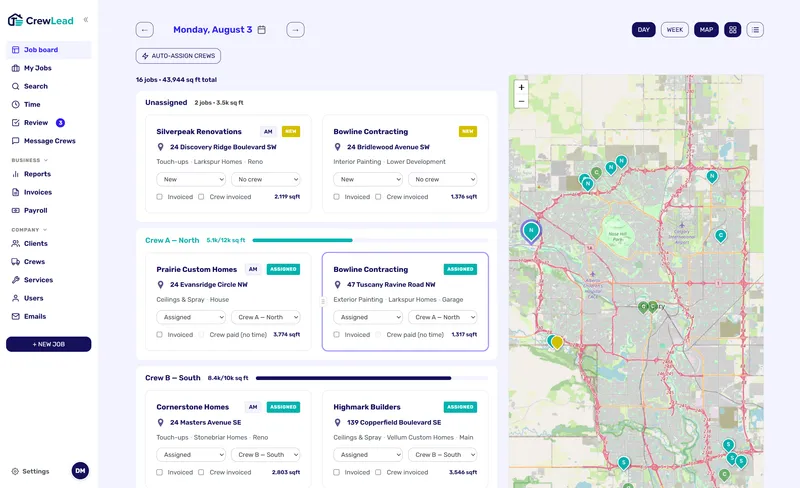
See your jobs show up in realtime on the job board. Easily assign to your crews, either manually drag and drop or using auto assign. Monitor your crew’s capacity at a glance. Drag jobs to the side for easy push to tomorrow.
- By day or Week
Toggle between week or day views to zoom to how you operate best.
- Flexible navigation
Easily swipe between days or weeks, or use the datepicker to be precise.
- Switch your layout
Toggle the map visibility, drag to resize, and toggle grid or list view.
Every job, easily found
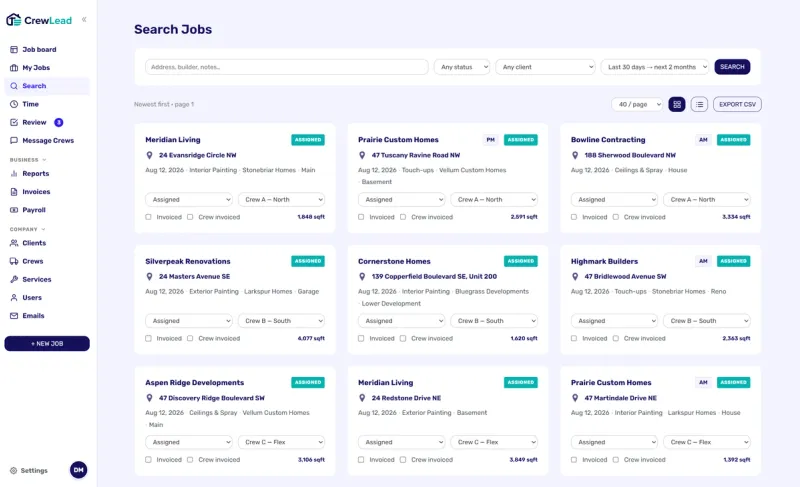
Find your jobs easily using job search. Filter by address, client, service, or status, from new to assigned to completed to invoiced.
- Card and list layouts
Work the way you read, in a visual cards grid or an organized list.
- Invoiced at a glance
Both sides tracked on each job: client invoiced and crew paid.
- Export to CSV
Easily export your jobs data to organized CSV format.
Completed jobs become a sent invoice in one click
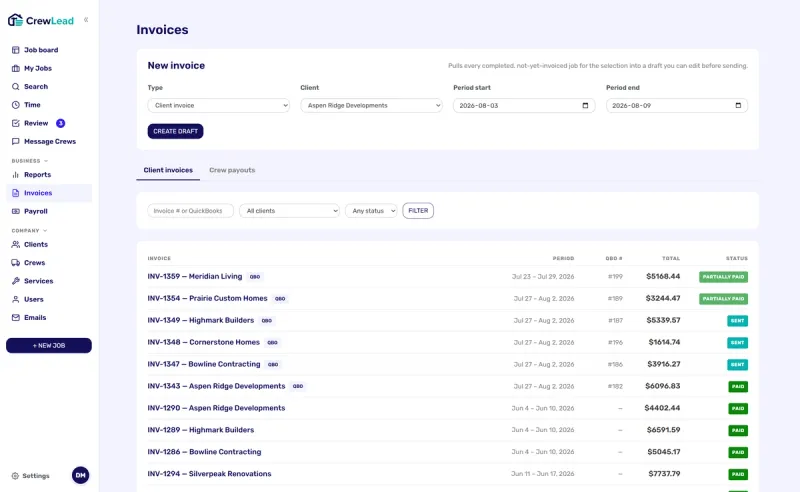
Pick a client and a period. CrewLead pulls every completed, uninvoiced job into a draft, with one line per job showing the service date, quantity, rate, and tax.
- Optional Quickbooks Online
Rich two way sync between your linked Quickbooks Online account.
- Branded, print-ready PDFs
Your logo, business details, and GST number on every invoice.
- Reminders that do the math
Send history plus one click reminders that quote the outstanding balance.
- Crew payouts too
Piece-rate crews get payout statements generated the same way.
Hours turn into pay periods on their own
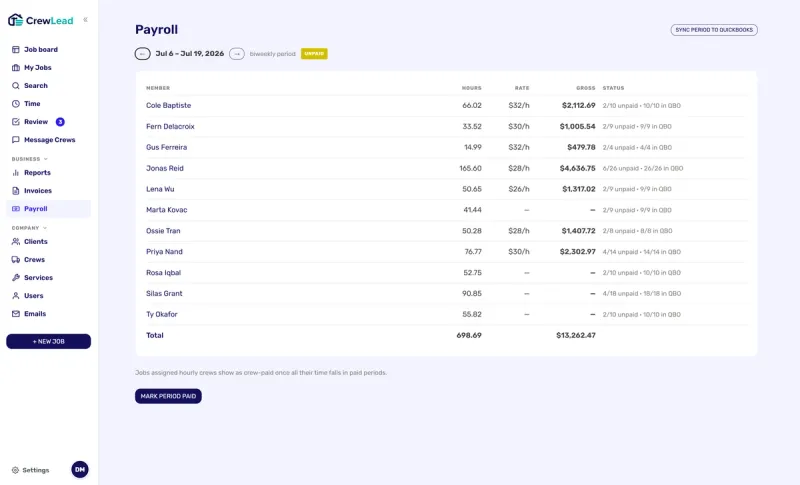
Tracked time rolls into pay periods: weekly, biweekly, or semi-monthly, whatever your company runs on. Hours times rate per member, marked paid in one click.
- Mixed crews, no problem
Hourly crews go through payroll. Subcontractor crews get payout statements. Per crew, your call.
- Jobs know when crews are paid
A job shows crew-paid the moment all its time falls in paid periods.
- Time syncs to QuickBooks
Entries land as billable time activities with employee, customer, and rate.
Production and revenue in your own numbers
Production and revenue by period, client, crew, and service, all counted in your unit instead of someone else’s. Sq ft for painters. Linear feet, hours, visits, whatever you run on.
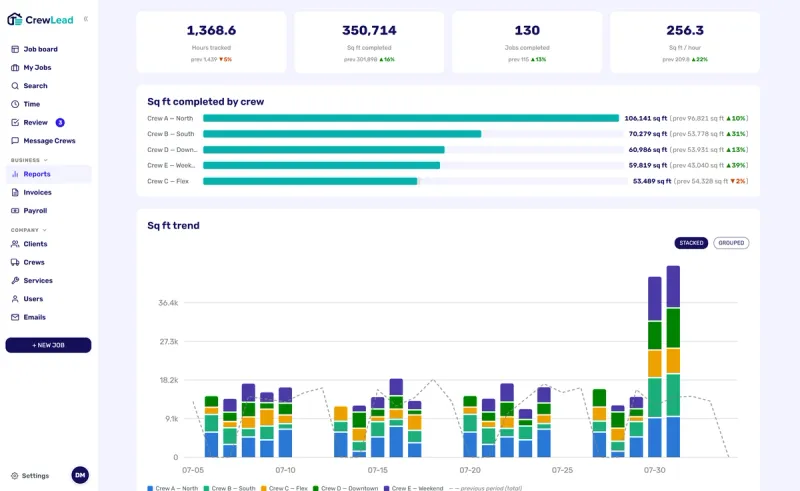
- Crew against crew
See who produced what, this period against last.
- Trends you can act on
Stacked daily production against the previous period.
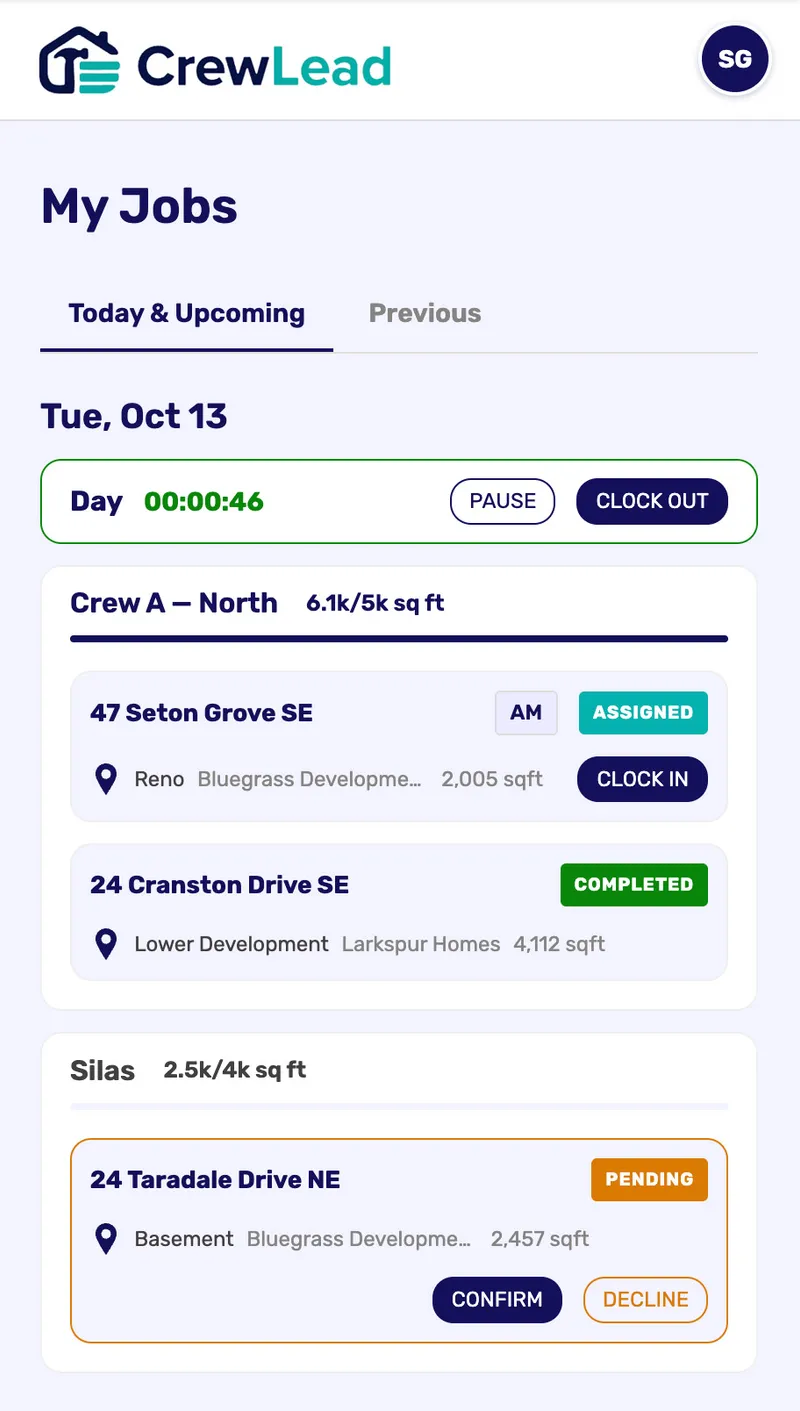
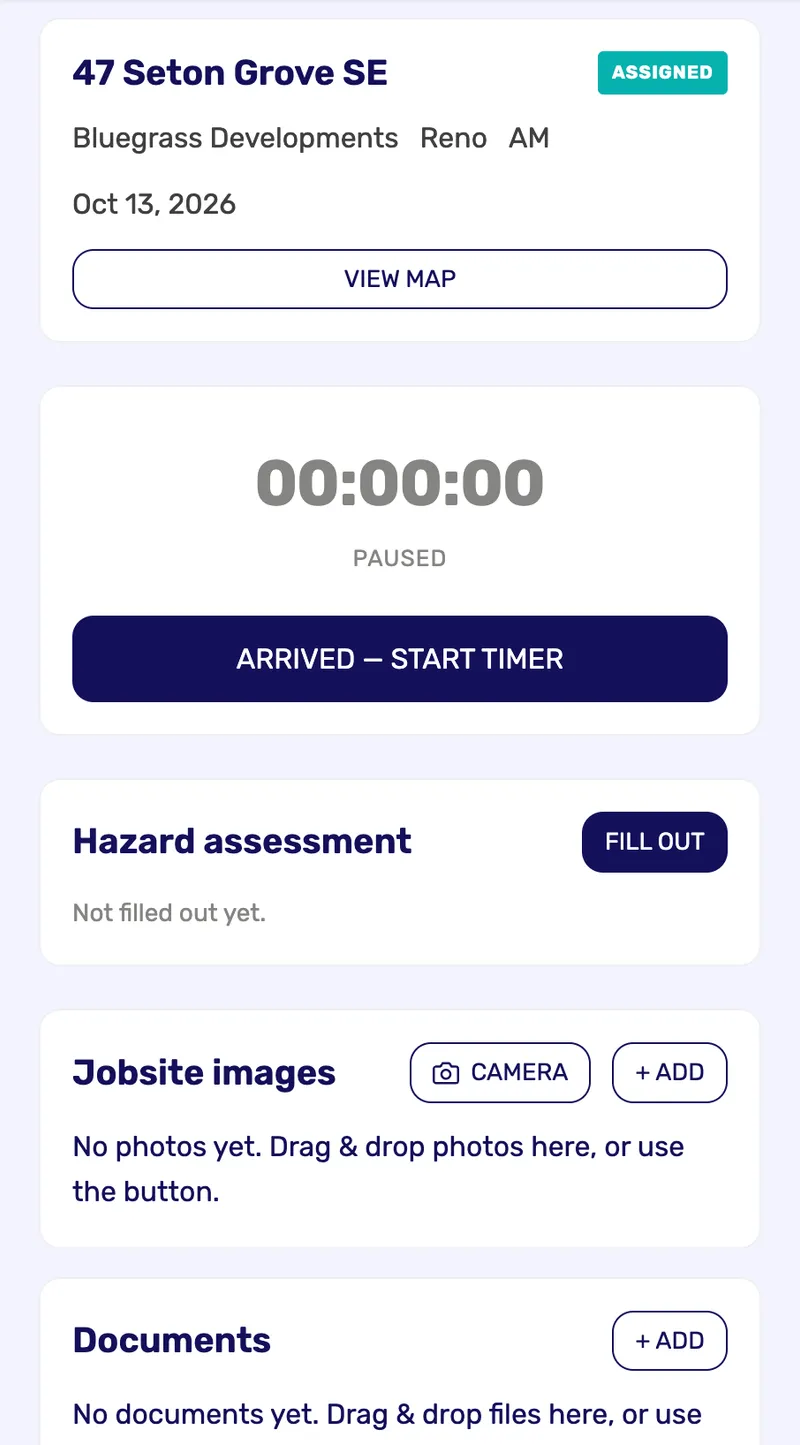
Your crew leads run the day from their phone
Crew leads get a simplified view made for the jobsite: today’s jobs, one-tap clock in, and everything the office needs coming back without a phone call.
Today’s jobs, confirmed in a tap
Their schedule for today and what’s coming up, with new assignments to confirm or decline.
Clock in from the job
A day timer plus clock in, pause, and complete on each job. Hours flow into payroll on their own.
Safety before the work starts
The hazard assessment opens at first clock-in and lands in the completion report as a PDF.
Photos and notes from the site
Snap jobsite photos and add documents and notes, all attached to the job and the client’s report.
Installs like an app
Crews add it to their home screen straight from the browser, with your logo as the icon. No app store. And the rest of CrewLead works on a phone too, so the office isn’t tied to a desk.
Configured around your business, not the other way around
CrewLead isn’t a one-size app you bend your company around. We set it up around how you already work, then hand you the keys.
Your units
Sq ft, linear feet, hours, or visits. The board, capacity bars, and reports all count in your unit.
Your services & rates
Your service list with your rates, flowing straight onto invoices.
Your invoice terms
Net 15, 30, 60, or due on receipt, with your GST number where it belongs.
Your payroll cadence
Weekly, biweekly, or semi-monthly. Hourly and piece-rate crews side by side.
Your safety checklist
Your hazard sections, required or optional at clock-in. Your call.
Your client emails
Per-client templates for completion emails, in your voice.
AI trained on your clients
Parsing instructions tuned to how your clients actually write their requests, checked and improved nightly.
Your branding
Fully white-labeled with your logo on the dashboard, invoices, safety PDFs, client reports, and the app icon your crews install.
Your accountant will approve
Deep two-way sync, not a CSV export. Invoices and payout bills push to QuickBooks and update when edited. Payments flow back the other way, including partial payments, so “$2,000 remaining” means $2,000 remaining.


Revenue lands in the right accounts
Per-service item mapping puts every line under the right income account.
Canadian GST handled correctly
Built for Canadian QuickBooks online editions from day one.
Guided setup, not a manual
Mapping screens link clients to customers, crews to vendors, and services to items, with one-click bulk create.
Voids mirror both directions
Void or delete on either side and the other side follows.
Your data stays on our hardware, not big tech’s
The AI that reads your incoming work runs on servers we own, right here in Alberta. Your client emails, your rates, and your customer list are never handed to OpenAI, Google, or any big-tech AI service, and they never become training material for someone else’s model.
Local, private AI
Work order parsing runs on our own hardware. Nobody can re price it, switch it off, or read your data.
For ease of mind and easy restores
Nightly backups, with redundancies and off-site copies.
Your team, your permissions
Role-based access decides who sees payroll, rates, and reports.
Tell us how you work. We’ll build around it.
Reach out today to find out how CrewLead can work for your business.